A few weeks ago at a Harrisburg Chamber coffee, I met a guy who works for a local print and promo shop.
We had a good conversation, the kind you leave feeling better than when you walked in. I emailed him that day to cement the connection, then he wrote back and asked if I had any AI suggestions for him.
Time is his biggest problem. He runs between appointments, and the work which actually pays him gets pushed to whenever he’s finally back at the desk.
I could have sent him a list. Ten prompts, a link to somebody’s YouTube channel.
Instead I sent him one thing.
What I Shared
Open whichever AI app is already on your phone. Start one new conversation in the morning.
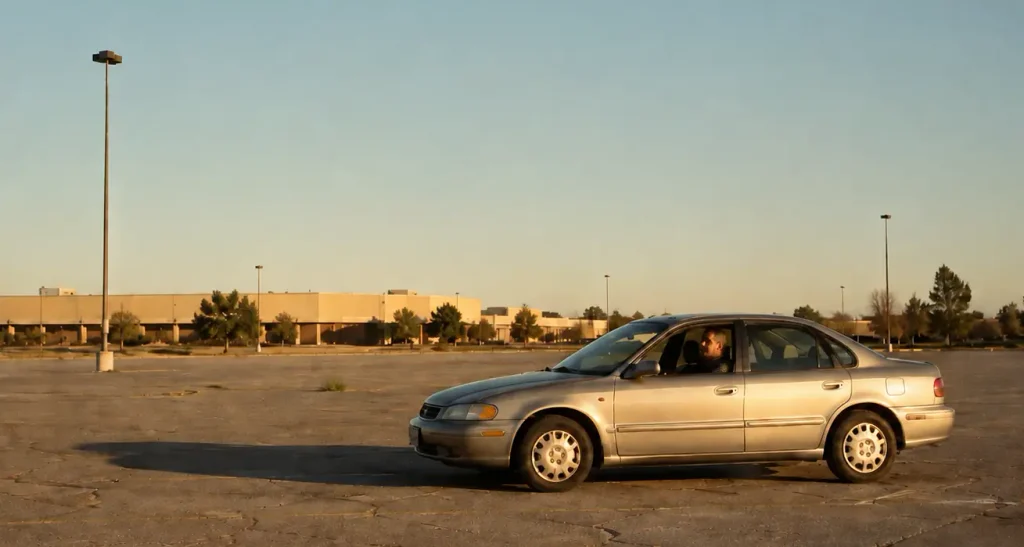
Then, after each meeting, before you pull out of the parking lot, take two minutes and talk to the AI app out loud. Who you met with. How it went. What you noticed.
That’s it. Two minutes, sitting in the car, before you drive away.
At the end of the day, in that same conversation, ask it to write up your day.
I gave him the exact words to use, and I’ll give them to you later. First I want to tell you why this is different from what you’re probably already doing.
And it misses the meaning because the key thing which happened in the room was never said out loud.
The pause before somebody answered a budget question. The way two people looked at each other when a third one mentioned a deadline. The thing which landed differently than the person meant it.
None of that is in a transcript. It wasn’t spoken.
A recorder gives you what was said. Two minutes in the parking lot gives you what you noticed.
Those are different, and the second one is the one which fades. By the time you’re back at your desk, three calls later, the read on the room is gone. You’ve got a perfect transcript of a meeting you no longer understand.
I’ve Done This
I walked out of a discovery session with a client recently, drove around the corner, then parked.
I had things in my head. Impressions. Stuff you’d tell a colleague about on the drive home if you had one in the passenger seat.
I said them out loud to Claude, the AI tool I use most. A few minutes, maybe less. Then drove home.
What surprised me was that it wasn’t just a recording. When I returned to it later, to process what I’d heard, the thinking was already half done. I hadn’t just dumped the impressions. I’d finished them.
Talking Isn’t Typing
Speaking out loud forces you to complete a thought.
You can write half a note like, “Budget concern?” You can’t say half a sentence out loud without hearing how unfinished it is. So you finish it. And in finishing it you find out what you actually thought, which is not always where your mind began.
The added value, though, is that when you use an AI tool like Claude, the thing you’re speaking with can ask you a question.
A notes app can’t do that. It sits there. An AI assistant will ask the one question you were about to skip past, and sometimes that question is the whole reason the two minutes were worth it.
That’s the difference between a note and a debrief.
The key for a busy professional on the road is using one conversation per day and not one per meeting.
This sounds like a small thing and it isn’t. If you start a fresh chat after every appointment, you end the day with five disconnected notes and nothing which adds up. Same as five scribbled notes in your briefcase or the bottom of a backpack.
Keep everything in one thread and, by five o’clock, the tool has your whole day in front of it.
Every stop. Every impression. In order.
Now it can do something with it.
The Five O’Clock Prompt
Here’s the suggestion I sent my new contact:
Based on everything above, give me a short recap of today, what I owe each person and by when, and draft the follow-up emails.
The recap is the nice part. The follow-up emails are the point.
Because tomorrow’s work is the thing which is eating him. If three of those emails are written while he’s still sitting in the driveway, he got his evening back.
Then copy the whole thing and email it to yourself.
No new app. No filing system to maintain. It lands in the place you already live, and it’s searchable in six months when somebody asks what you agreed to.
Protect Your Privacy First
You are about to describe a client conversation to a chatbot. That deserves thirty seconds of thought before you start, not after.
Open your AI app’s settings and find out whether your conversations are used to train the model, and whether you can turn that off. Most let you. It takes a minute, and I wrote a short guide to finding those settings if you’d rather not hunt.
Also, if you have a policy at work about where client information can go, that policy covers this. Check it first.
I don’t put dollar figures, and I don’t put anything a client told me in confidence. Don’t include anything which adds risk to the record.
It’s not a reason to skip the two minutes. It’s just one very good reason to be smart and safe.
Try It Tomorrow
You have a meeting tomorrow. Probably several.
After one of them – just one – sit in the lot for two minutes before you pull out. Tell your phone who you met with, how it went, and what you noticed.
Then drive away and see what you’ve got at the end of the week.
If you’d rather have somebody walk through this with you, or you want to talk about where else AI could fit in how you work, grab fifteen minutes on my calendar. No charge and no pitch.
Two minutes in a parking lot is a small thing. And most of the useful ones are.
I traveled to Scotland with a friend years ago. We still love to talk about the Scotch tasting we enjoyed at the Balvenie distillery. Sitting around a table, sipping some amazing 30+ year old whisky, Read more
“And what do you do at Dan Christ Digital Services?” he asked, leaning in and looking at my name tag in the middle of a Friday morning Chamber of Commerce mixer. This was it. The Read more
A good friend has been using AI for months. They’re getting a lot of value out of it, and I’ve been happy to answer simple questions and nudge him when big releases land. He’s been Read more







0 Comments